
Agency partners have a single place to see how every client account is performing. This article walks through our Agency reporting features: the Subaccount Activity report, and the subaccount export on Agency Home.
The Subaccount Activity report
The Subaccount Activity report shows campaigns, pieces mailed, mail spend, and credits purchased and transferred for each of your subaccounts over a date range you choose. It sits alongside Campaign Events, Transaction Analysis and Markup Revenue within your Agency Reports.
Access the report
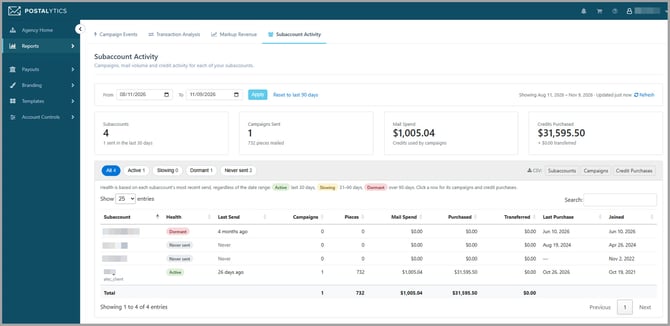
- In the left sidebar of your agency account, select Reports.
- Choose Subaccount Activity, or click the Subaccount Activity tab at the top of any Agency Reports page.
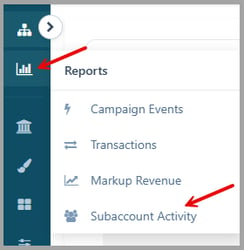
Choose a date range
The report opens to the last 90 days. To look at a different period, set the From and To dates and click Apply. Click Reset to last 90 days to return to the default.
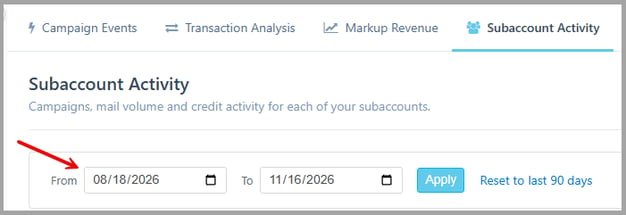
To the right shows the range you are viewing and when the data was last updated. Click Refresh to pull the latest numbers.
Totals at a glance
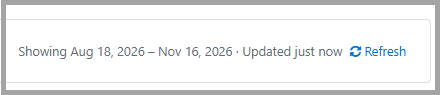
Four summary cards at the top of the report total up activity across all of your subaccounts for the selected range:
- Subaccounts: the number of subaccounts, and how many have sent mail in the last 30 days.
- Campaigns Sent: the number of campaigns sent, and the total pieces mailed.
- Mail Spend: credits used by campaigns.
- Credits Purchased: credits bought by your subaccounts, plus the amount transferred to them.

Client health status
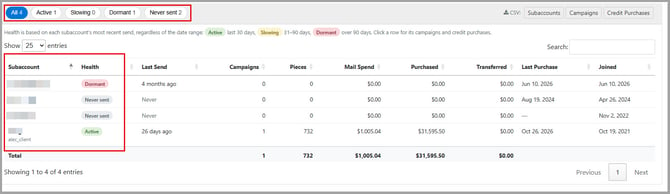
Every subaccount is tagged with a health status based on how recently it last sent mail, so you can spot clients who are going quiet before they churn:
- Active: sent mail in the last 30 days.
- Slowing: last sent 31 to 90 days ago.
- Dormant: last sent more than 90 days ago.
- Never sent: has not sent a campaign yet.
Health status always reflects each subaccount’s most recent send, regardless of the date range you have selected.
To filter the list by status, click one of the buttons above the table (All, Active, Slowing, Dormant or Never sent). Each button shows how many subaccounts are in that group.
Account-level detail
The table lists each client’s last send, campaigns, pieces, mail spend, credits purchased and transferred, last purchase date and join date. You can sort by any column, search for a specific subaccount, and change how many entries are displayed per page.
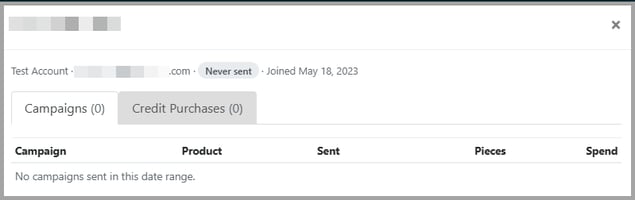
Click any subaccount row to open that subaccount’s details. The window shows the contact name, email, health status and join date, with two tabs: Campaigns (each campaign’s product, send date, pieces and spend) and Credit Purchases.
Export to CSV
Use the CSV buttons at the top right of the subaccount list to download a spreadsheet for client reviews or reconciliation. You can export Subaccounts, Campaigns or Credit Purchases for the selected date range.

Export your full subaccount list
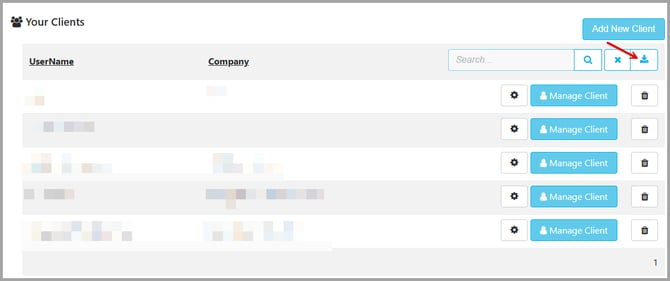
On your Agency Home page, a new download button sits beside the search box above Your Clients. Click it to download every subaccount as a CSV file, including contact details and counts.
Need help?
If you have questions about any of these features, our Client Success team is happy to help. Just reach out through the help icon in your account.